
Showing posts with label TRIPTICO. Show all posts
Showing posts with label TRIPTICO. Show all posts
Wednesday, 2 January 2013
#ILIlC3

Sunday, 21 October 2012
The Teachmeet presentation that never was
Here was my possible presentation I prepared for Friday. I am undecided whether the gods smiled on me or not, given the week I had had. It is nearly worse sitting through the whole of a teachmeet waiting to see if the random name generator throws your name up or not!
Wednesday, 17 October 2012
BRINGING TWITTER TO THE CLASSROOM
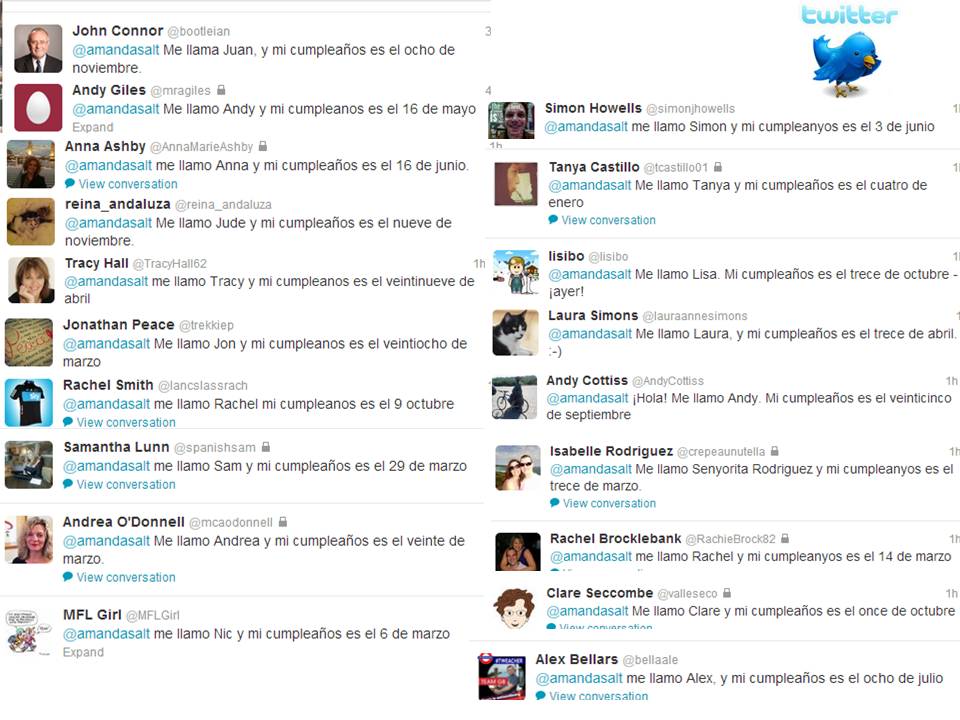
So we were told last week that we would have visitors from China in school this week and so I set to work for my 3 observation lessons. The #MFLTwitterati came to the rescue as usual when I tweeted questions about bedroom descriptions, birthdays and favourite days.

With one Form 2 class (12-13 yr olds) we made up a rap for the positions and then used Triptico to sort the class into groups. The groups were given a sentence in English and all had to translate it correctly into Spanish on their individual mini whiteboards. The first two groups to get it 100% correct got a point each, again using the Triptico team score tool. At the end of the lesson, they got ballot tickets equating to the number of points they had won. These tickets go into the draw for a selection box for each class in December.
With the other Form 2 class, I used the tweets re bedrooms, which I had collated onto photocopied sheets, Each pupil had to work on their own for 5 mins with a highlighter, marking the vocabulary they knew. They then worked with their partner to exchange knowledge for 4 minutes before going to groups at their table. After these 3 stages, I then read the tweets. Pupils had to shout stop if I read a word they didn't know. There were pupils who were able to translate for others at this stage and only a few words that I had to help with. As a plenary, pupils wrote their names on post-its and stuck them to a massive arrow on the board to indicate their grasp of house and position vocabulary in Spanish.


With one Form 2 class (12-13 yr olds) we made up a rap for the positions and then used Triptico to sort the class into groups. The groups were given a sentence in English and all had to translate it correctly into Spanish on their individual mini whiteboards. The first two groups to get it 100% correct got a point each, again using the Triptico team score tool. At the end of the lesson, they got ballot tickets equating to the number of points they had won. These tickets go into the draw for a selection box for each class in December.
With the other Form 2 class, I used the tweets re bedrooms, which I had collated onto photocopied sheets, Each pupil had to work on their own for 5 mins with a highlighter, marking the vocabulary they knew. They then worked with their partner to exchange knowledge for 4 minutes before going to groups at their table. After these 3 stages, I then read the tweets. Pupils had to shout stop if I read a word they didn't know. There were pupils who were able to translate for others at this stage and only a few words that I had to help with. As a plenary, pupils wrote their names on post-its and stuck them to a massive arrow on the board to indicate their grasp of house and position vocabulary in Spanish.

Pupils were very taken with the tweets and were fully engaged throughout the activity which was pleasing.
Form 1 have done greetings, numbers and names but little else. After a PPT about the days, we then looked at the tweets about favourite days which I displayed on the IWB as well as giving to the pupils to stick into their books with the reading comprehension questions. http://linoit.com/users/asalt518/canvases/D%C3%8DA%20PREFERIDO


Some pupils launched straight into the activity, others panicked at the sight of so much Spanish that they didn't know. However some reassurance and guidance re looking for cognates, plus a translation of Me gusta and off they went in groups to tackle the task before coming together to check the answers. A quick AFL quick with closed eyes and holding fingers up between 1 and 10 to indicate how proud they were of their work that period finished the lesson.
Whilst there is part of me that despairs when I am told I am being observed, at the thought of the extra work, there is also a big part of me that enjoys the challenge of planning a detailed lesson and evaluating my own teaching and the pupil learning. These lessons allowed me to bring 'real' Spanish into the classroom and move pupils along the path of independent learning and self evaluation.
Sunday, 4 March 2012
#ILILC2 KEYNOTE Joe Dale "Turn on, tune in, Dropbox out"
Joe Dale kicked off proceedings on the Saturday morning with a great keynote which belied his poor health of the week leading up to the ICT Links into Languages conference. Joe Dale set up the Twitter list of MFL teachers affectionately known as the MFL Twitterati which has gone from strength to strength, and Joe addressed the power of collaboration in this keynote.
Joe talked about the shift in governmental thinking, round to technology in education including a call by Michael Gove for a Wiki curriculum in the Guardian to better enable a collaborative approach as well as his call at the BETT Show 2012 for teachers to be trained to best use the technology available.
Joe talked about the #pencilchat Twitter phenomenon which had us laughing out loud as well as nodding our heads in agreement to the Twitter thread which had focused on attitudes to technology:
He then talked about our pupils as 'prosumers', producing as well as consuming social media and being saturated by it. Social media is the #1 pastime for teenagers and we need to use that in our teaching.
As a facet of this, the fabulous Deputy Mitchell was encouraging all to blog on 29th February. Deputy Mitchell's Twitter blurb reads "Quadblogging/ Feb29th.net founder, keynote speaker on mission to get kids everywhere blogging to a GLOBAL audience" His aim is to get pupils to think about the power of an audience,something which is a no brainer for linguists who are constantly aiming to show pupils the relevance of our subjects. The idea behind quadblogging for those who are unfamiliar with the concept is that four schools from around the globe get together and blog about a like-minded theme. Joe talked about further ways to show pupils the relevance of languages such as his experiences on the European Day of Languages,at the Ashcombe School, where he did a live 1 hour broadcast.
Moving on, he then talked about his current blog ipad366.posterous.com where Joe produces a 2-3 minute podcast giving a tip a day about using iPads.
Mentioning the site education.skype.com Joe encouraged all language teachers to find a class to share educational goals with you. This tied in nicely with Suzi Bewell's TES article Modern foreign languages – Skype makes sense
Alex Bellars got a shoutout with the excellent tools that he had talked about at the Show and Tell in Newcastle namely Class Dojo, Triptico, and Lingro And finally in this section, with another article SecEd ICT in MFL Suzi Bewell talks about using Vocaroo as a way of spicing up language learning outside the classroom by doing a speaking homework. Joe tied all of the practical examples into his talk by saying this is what Ofsted is looking for according to their guidelines.
The final section of Joe's talk was called 'Dropbox out!' The aforementioned #MFL Twitterati is now at maximum capacity with 500 on the list. All conference attendees were invited to ‘join the conversation’ All would agree that support is the biggest and most important aspect of Twitter for the #mfltwitterati.We have set up a generic Dropbox for Modern Languages, as well as separate ones for French, German and Spanish. Get in touch with any of the MFL Twitterati if you are interested in joining.
Other areas of support include aPLaNet which is European funded,and which has a huge number of resources to help ML teachers with resources, mentoring and to help those who don’t normally use social media. Joe talked about the MFL Show and Tells that have taken place around the UK, as well as digital sharing of support and ideas via paper.li/mfltimes which you can receive free by email, full of the best tweets, links and ideas each day. MFL Digital Stories got a mention as well as the wonderful MFL Storybirds
The final mention went to QR codes in education. Ideas for include sticking the QR code into the pupils' exercise books once kids have had their work marked as well as
Kelda Richards' amazing work with QR codes and Aurasma. See Kelda's blogpost Le Mur Parlant The note I typed when Joe mentioned this was "DO THIS!!"
Joe drew his keynote to a close saying that one in three is overwhelmed by technology whilst promting the study of languages with Barack Obama's quote "If you have a foreign language that is a powerful tool to get a job… you are so much more employable, you can be part of international business" Joe had tweeted in the weeks leading up to #ILILC2, asking us to tweet our pupils' favourite method of learning, using the hashtag #groovymfl. Ironically, most responses favoured a more low tech approach. The lesson we must learn as language teachers and tech lovers is that a blended approach works best, rather than throwing the baby out with the bathwater.
Joe talked about the shift in governmental thinking, round to technology in education including a call by Michael Gove for a Wiki curriculum in the Guardian to better enable a collaborative approach as well as his call at the BETT Show 2012 for teachers to be trained to best use the technology available.
Joe talked about the #pencilchat Twitter phenomenon which had us laughing out loud as well as nodding our heads in agreement to the Twitter thread which had focused on attitudes to technology:
He then talked about our pupils as 'prosumers', producing as well as consuming social media and being saturated by it. Social media is the #1 pastime for teenagers and we need to use that in our teaching.
As a facet of this, the fabulous Deputy Mitchell was encouraging all to blog on 29th February. Deputy Mitchell's Twitter blurb reads "Quadblogging/ Feb29th.net founder, keynote speaker on mission to get kids everywhere blogging to a GLOBAL audience" His aim is to get pupils to think about the power of an audience,something which is a no brainer for linguists who are constantly aiming to show pupils the relevance of our subjects. The idea behind quadblogging for those who are unfamiliar with the concept is that four schools from around the globe get together and blog about a like-minded theme. Joe talked about further ways to show pupils the relevance of languages such as his experiences on the European Day of Languages,at the Ashcombe School, where he did a live 1 hour broadcast.
Moving on, he then talked about his current blog ipad366.posterous.com where Joe produces a 2-3 minute podcast giving a tip a day about using iPads.
Mentioning the site education.skype.com Joe encouraged all language teachers to find a class to share educational goals with you. This tied in nicely with Suzi Bewell's TES article Modern foreign languages – Skype makes sense
Alex Bellars got a shoutout with the excellent tools that he had talked about at the Show and Tell in Newcastle namely Class Dojo, Triptico, and Lingro And finally in this section, with another article SecEd ICT in MFL Suzi Bewell talks about using Vocaroo as a way of spicing up language learning outside the classroom by doing a speaking homework. Joe tied all of the practical examples into his talk by saying this is what Ofsted is looking for according to their guidelines.
The final section of Joe's talk was called 'Dropbox out!' The aforementioned #MFL Twitterati is now at maximum capacity with 500 on the list. All conference attendees were invited to ‘join the conversation’ All would agree that support is the biggest and most important aspect of Twitter for the #mfltwitterati.We have set up a generic Dropbox for Modern Languages, as well as separate ones for French, German and Spanish. Get in touch with any of the MFL Twitterati if you are interested in joining.
Other areas of support include aPLaNet which is European funded,and which has a huge number of resources to help ML teachers with resources, mentoring and to help those who don’t normally use social media. Joe talked about the MFL Show and Tells that have taken place around the UK, as well as digital sharing of support and ideas via paper.li/mfltimes which you can receive free by email, full of the best tweets, links and ideas each day. MFL Digital Stories got a mention as well as the wonderful MFL Storybirds
The final mention went to QR codes in education. Ideas for include sticking the QR code into the pupils' exercise books once kids have had their work marked as well as
Kelda Richards' amazing work with QR codes and Aurasma. See Kelda's blogpost Le Mur Parlant The note I typed when Joe mentioned this was "DO THIS!!"
Joe drew his keynote to a close saying that one in three is overwhelmed by technology whilst promting the study of languages with Barack Obama's quote "If you have a foreign language that is a powerful tool to get a job… you are so much more employable, you can be part of international business" Joe had tweeted in the weeks leading up to #ILILC2, asking us to tweet our pupils' favourite method of learning, using the hashtag #groovymfl. Ironically, most responses favoured a more low tech approach. The lesson we must learn as language teachers and tech lovers is that a blended approach works best, rather than throwing the baby out with the bathwater.
Tuesday, 7 February 2012
TRIPTICO TIPS
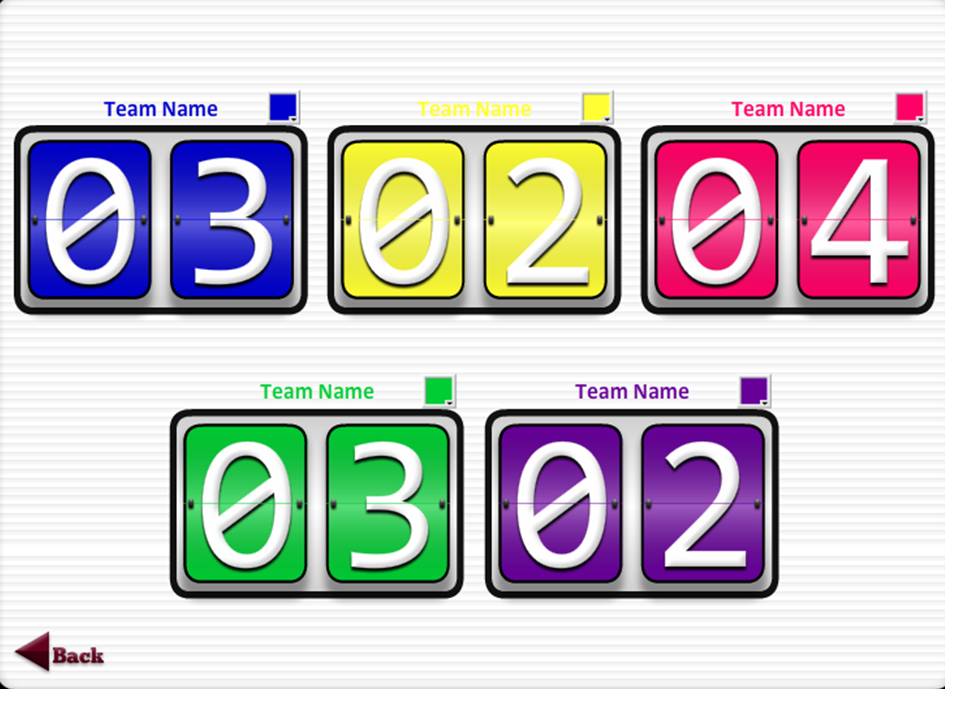
Today I used Triptico with Forms 2 and 3 (Year 8 and 9 in England) to spice up our verb work after several weeks of working through the basics and doing a lot of written practice.
Initially I used the class sorter to put pupils into groups, then the spinner to choose verbs and the scoreboards to keep track of points. When the spinner stopped on a verb, one pupil in each group had to conjugate the 6 parts in the present tense using a digital voice recorder. The first two groups to successfully replay their recording to me with correct pronunciation won the points. They had to switch the person conjugating each time which meant that all were involved, and the shyer pupils felt more confident without the spotlight shining directly on them. The kids loved it and I felt they made real progress both in terms of knowledge and pronunciation.
Wednesday, 26 October 2011
TRIPTICO
I know that there is a danger of me sounding like a sponsor, but since @bellaale talked about Triptico at the Show and Tell event at Cramlington Learning Village in September, I have been using it a lot in class, and thought I would share some of the ideas I have used.

The tiresome bit is typing up the class names, but once this is done, you can save the lists to load time and again.
CLASS TIMER
Self-explanatory and worth its weight in gold in terms of focusing the class. This week, if working in groups, I have told them to appoint a time monitor to keep half an eye on the timer
CLASS SORT
Pupils love the novelty of the sound and visual aspect of this tool which allows you to choose the number of groups and also to remove any pupils who are absent from the list
SCOREBOARD
This is a simple yet effective tool which adds a whole new level of competitiveness to group work
SPINNER
I use this for many different things
- when a group wins a task, they spin to see how many ballot tickets they have won, for the prize draw at Christmas
- I put irregular verbs on the spinner, and the pupils then had to write the 6 parts of the verb out on the mini whiteboards
- Put 6 different topics for AS Spanish and they talk for 1 minute on the topic, optionally recording themselves on the digital voice recorders
- For A2 literature, the six main characters are on the spinner, and pupils will talk to their partner for 1 minute about the selected character
RANDOM TASK GENERATOR
I used this to great effect with both Form 3 and Upper 6 this week. Use the group selector to sort the class into groups, then open the Random Task Generator with tasks you have typed up before the lesson, setting how many groups you want. Once each group has finished one task, they come up and click the board to see what the next task is. All classes were totally focused and worked with energy and independently for the whole lesson.
FIND 10
Pupils had to select the ten irregular verbs, from a total of 15, similar to the TV programme Total Wipeout
WHAT'S IN THE BOX?
Like 'Deal or no deal', this will appeal to the pupils although it does take a little more time to prepare
This is just a selection of the tools available, and doubtless you can think of many many other ways to use them. If so, please share.

The tiresome bit is typing up the class names, but once this is done, you can save the lists to load time and again.
CLASS TIMER
Self-explanatory and worth its weight in gold in terms of focusing the class. This week, if working in groups, I have told them to appoint a time monitor to keep half an eye on the timer
CLASS SORT
Pupils love the novelty of the sound and visual aspect of this tool which allows you to choose the number of groups and also to remove any pupils who are absent from the list
SCOREBOARD
This is a simple yet effective tool which adds a whole new level of competitiveness to group work
SPINNER
I use this for many different things
- when a group wins a task, they spin to see how many ballot tickets they have won, for the prize draw at Christmas
- I put irregular verbs on the spinner, and the pupils then had to write the 6 parts of the verb out on the mini whiteboards
- Put 6 different topics for AS Spanish and they talk for 1 minute on the topic, optionally recording themselves on the digital voice recorders
- For A2 literature, the six main characters are on the spinner, and pupils will talk to their partner for 1 minute about the selected character
RANDOM TASK GENERATOR
I used this to great effect with both Form 3 and Upper 6 this week. Use the group selector to sort the class into groups, then open the Random Task Generator with tasks you have typed up before the lesson, setting how many groups you want. Once each group has finished one task, they come up and click the board to see what the next task is. All classes were totally focused and worked with energy and independently for the whole lesson.
FIND 10
Pupils had to select the ten irregular verbs, from a total of 15, similar to the TV programme Total Wipeout
WHAT'S IN THE BOX?
Like 'Deal or no deal', this will appeal to the pupils although it does take a little more time to prepare
This is just a selection of the tools available, and doubtless you can think of many many other ways to use them. If so, please share.
Subscribe to:
Posts (Atom)